
|
Taberinos Yan Loong Legend 2: 2nd Impact BioBots Sock Dye Small Worlds |
|
Game Categories
This Flash game is loaded with Ruffle, try Flash Player instead.
4.704 times played
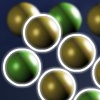
Puzzle Mode: Using the same selection mechanic, using the fewest possible moves, group all the coloured tiles together! Arcade Mode: Make selections by clicking any two tiles. Selections rotate depending on how they are selected. Click any two marbles to twist a group of them!
A game by: Mint Games, Arctic Design
| More puzzle games: | 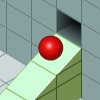 Isoball - An isometric puzzle game. Get the ball in the hole by building a track using various blocks. The objective is to build increasingly complex tracks with more unique blocks to assist the ball in reaching the destination hole. Isoball - An isometric puzzle game. Get the ball in the hole by building a track using various blocks. The objective is to build increasingly complex tracks with more unique blocks to assist the ball in reaching the destination hole. | 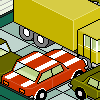 Rush Hour - A logical puzzle game. Move the red car by dragging it on the blocked part. Go to the training camp to solve the 28 levels by moving cars, good luck. Rush Hour - A logical puzzle game. Move the red car by dragging it on the blocked part. Go to the training camp to solve the 28 levels by moving cars, good luck. |
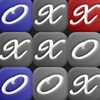 Noughts and Crosses Extreme - The most extreme Noughts and Crosses ever created! With explosive gameplay, a spinning board and new squares that appear from thin-air, play off against your opponent in a race to the highest score. Noughts and Crosses Extreme - The most extreme Noughts and Crosses ever created! With explosive gameplay, a spinning board and new squares that appear from thin-air, play off against your opponent in a race to the highest score. |  Tropical Swaps: Combo-Tastic - Swap the blocks & match the pieces in this new puzzle-mode for the Tropical Swaps game! Tropical Swaps: Combo-Tastic - Swap the blocks & match the pieces in this new puzzle-mode for the Tropical Swaps game! |
 BlindBall - The game is simple, all you need to do is guide a ball to the finish using placed tools of the users choice, there are twenty levels with each a unique layout and different path to complete that level. BlindBall - The game is simple, all you need to do is guide a ball to the finish using placed tools of the users choice, there are twenty levels with each a unique layout and different path to complete that level. |  Puppet Rush - Puppet Rush is a fast paced puzzle game which requires quick reflexes and even quicker fingers. Guide the puppets to the portal by giving them the right directions. Puppet Rush - Puppet Rush is a fast paced puzzle game which requires quick reflexes and even quicker fingers. Guide the puppets to the portal by giving them the right directions. |
 Speed Round - An original, quick thinking, fast paced puzzle game. Fight against the clock with every move. Try to make rows of same colored blocks to score points. Speed Round - An original, quick thinking, fast paced puzzle game. Fight against the clock with every move. Try to make rows of same colored blocks to score points. |  Mixa Monsta - Mixa Monsta is a puzzle game where you build monsters out of simple shapes. Each game selects 12 random monsters out of 24 for you to build. How fast can you get through? Mixa Monsta - Mixa Monsta is a puzzle game where you build monsters out of simple shapes. Each game selects 12 random monsters out of 24 for you to build. How fast can you get through? |
 Gears - Fix machines by hooking gears together. Each machine you fix earns you money. Revisit levels to get the best score possible and try to get the best overall score you can! Use the mouse to purchase and move gears. Gears - Fix machines by hooking gears together. Each machine you fix earns you money. Revisit levels to get the best score possible and try to get the best overall score you can! Use the mouse to purchase and move gears. |  PLANned - Create a single network that links all of the squares. Click a square to expand it. Each square can be expanded a maximum of three times, and you can't click the same square twice in succession. PLANned - Create a single network that links all of the squares. Click a square to expand it. Each square can be expanded a maximum of three times, and you can't click the same square twice in succession. |
^ top